Baby Piano: Kids Music Games
- 4.1
- Rating
- 10.00M
- Installs
- Free
- Price
 Analysis by App-foxy
I found Baby Piano: Kids Music Games most useful as a simple, low-pressure music toy for very young children rather than as a serious piano-learning course. I tested it with that expectation in mind, and the experience makes sense when a child wants to tap, hear a sound, and join in with familiar musical activities without facing a complicated interface. It belongs to the music game category, is free to start, and is aimed at everyone, with a design that clearly speaks to toddlers and the adults helping them.
The central appeal is immediate feedback. A child touches the screen and gets an audible response, whether that means an animal sound, a nursery-rhyme moment, a song interaction, or a small game-like activity. That direct cause and effect is more important here than technical musical accuracy. I would hand it to a toddler who is curious about sounds, especially during a short supervised play session, but I would not present it as a replacement for an instrument, a teacher, or a structured early-music curriculum.
What the experience feels like in everyday use
The developer, Bimi Boo Kids Learning Games for Toddlers FZ-LLC, has positioned this as a child-friendly collection rather than a single narrow piano simulator. That distinction matters. The piano idea gives the app an easy entry point, while the broader mix of sounds, songs, and games gives a child several ways to stay interested. In my experience, the best sessions are brief and spontaneous: a child sits beside a parent, taps a few keys, listens to an animal, and then moves to another activity when attention shifts.
You May Also Like

 Blood Strike: 2.5 Anniversary
Blood Strike’s Loadouts Turn Every Drop Into a Tactical Gamble
A close look at Blood Strike’s custom loadouts: how fast access to signature weapons reshapes its battle royale rhythm, rewards preparation, and narrows the gap between fights.

 Pandora - Music & Podcasts
Pandora’s Music Is Easy to Start, but Harder to Recover
Pandora’s strength is its low-effort path from a seed to a station. Its weak spot is how much confidence it asks you to place in connection, setup, and quiet recovery.

 8 Ball Pool
 Is Built on Rivalries, Rematches, and Routine
A close look at the rivalries, rematches, shared routines, and unanswered safety questions that turn a quick pool match into a persistent mobile community.

 Samsung Music
’s Quiet Strength Is Playing What You Already Own
Its reach comes less from spectacle than from dependable access to a personal library. That simplicity is both the app’s strongest retention engine and its ceiling.

 AccuWeather: Weather Radar
AccuWeather Review: A Quick, Clear Forecast for Everyday Decisions
For everyday plans, the best forecast is the one you can understand quickly. AccuWeather makes rain timing, radar, and local conditions easy to act on, with a few trade-offs.

 Hill Climb Racing
Why Hill Climb Racing Still Turns Crashes Into One More Run
A tiny car, a bumpy hill and one more upgrade: Hill Climb Racing keeps resurfacing because its simple chaos makes every near-miss feel personal.
More From Our News Desk



For a family, that makes the app practical during small gaps in the day. It can fill a few quiet minutes while waiting, offer a gentle distraction before bedtime if the sound is kept low, or become a shared activity where an adult sings along instead of leaving the child alone with the screen. The app works better as an invitation to interact than as something a child must complete from beginning to end.
The free entry point is helpful because parents can see whether the style suits their child before spending anything. There are in-app purchases ranging from $1.99 to $6.99 per item, so the financial decision is not simply “free or paid.” I would let the child explore the available starting material first, then decide whether additional content is genuinely useful. That approach avoids paying merely because a child has become excited by the first few minutes.
One practical tip is to treat the first session as an observation period. Watch whether the child enjoys repeating sounds, following a song, or exploring the game elements. If the child only wants to press random buttons, that is not a failure; it simply means the app is functioning more like an interactive soundboard than a lesson for that particular child. If the child listens, imitates, and returns to a musical activity voluntarily, it may have more staying power in your household.
A gentle starting point for toddlers
The age rating is Everyone, but that should not be confused with independent suitability for every child. Toddlers vary widely in motor control, language development, and tolerance for sound. I would stay nearby at first, keep the volume comfortable, and help the child understand that tapping is enough. A young child does not need to perform a melody correctly to get value from the experience.
That adult involvement also solves a common problem with toddler apps: the child may move through screens without understanding what each activity is trying to do. Instead of correcting every tap, I would name what is happening. “You made a sound,” “That is the animal,” or “Let’s listen again” turns passive tapping into a small conversation. This is one of the strongest ways to get more from the app without pretending it offers formal instruction.
The interface is most convincing when it stays immediate. Toddlers are not looking for layered menus, long explanations, or a progress dashboard. They need large, understandable targets and a response that arrives quickly. A parent who wants a calm, approachable first contact with musical play will probably appreciate that simplicity more than a child who is already ready for notation, rhythm exercises, or a real keyboard.
Progress without turning play into pressure
I would be careful about measuring progress here. The experience encourages repetition and exploration, but it should not be treated like a graded course. A child may become better at locating sounds, following a familiar sequence, or waiting for a musical response, yet those changes are informal and depend heavily on how the adult uses the app. There is no reason to rush through activities just to reach an imagined finish line.
This is also where the app differs from many educational alternatives. A more structured music-learning product may teach notes, rhythm, or practice routines in a clear order. Baby Piano is better suited to discovery before that stage. Its advantage is low friction; its trade-off is that parents who want visible milestones may find the experience too open-ended.
My preferred routine would be to choose one small activity, play alongside the child, and stop while the child is still engaged. Repeating the same song or sound on another day can be more valuable than extending one session until the child becomes restless. That rhythm protects the playful quality and reduces the chance that the app becomes another demand placed on a toddler.
There is also a useful distinction between musical enjoyment and musical training. If your goal is to help a child feel comfortable with sound, tempo, imitation, and turn-taking, this app can be a pleasant starting tool. If your goal is accurate finger placement, reading music, or measurable keyboard technique, I would choose a real instrument or a purpose-built lesson app instead. Baby Piano can complement those options, but it should not be asked to do their job.
Spending, locked content, and a fair family setup
Because the app is free with optional purchases, I would make the purchasing decision before handing over the device. The listed item range is $1.99 to $6.99, and that is enough variation for a parent to want a clear boundary. I prefer disabling unsupervised purchases through the device’s family controls and discussing with the child that some activities may require an adult decision. That keeps the focus on play rather than on repeatedly asking for access.
The fairest way to judge the purchase is by use, not by the number of available activities. If a child returns to one particular type of music play several times a week, an additional item may be worthwhile. If interest fades after the novelty of tapping wears off, paying for more material is unlikely to fix the underlying mismatch. In other words, purchasing more is not a substitute for finding the right level of challenge.
I also would not use the purchase system as a reward ladder. A toddler may not understand why one colorful activity is available and another is not, and repeated requests can quickly overshadow the music itself. An adult preview, followed by a single deliberate decision, creates a calmer experience. This is especially important for families sharing one device among several children, where accidental taps and competing preferences can make spending feel less controlled.
The free starting point gives the app an advantage over buying a physical toy immediately, since you can test whether the child responds to this kind of screen interaction. The trade-off is that a physical mini-keyboard offers tactile feedback without the same dependence on a touchscreen. For children who enjoy pressing real keys, a small instrument may produce deeper engagement and better hand awareness. For travel or a quick activity, the app is more convenient.
Fairness in a non-competitive music game
This is not the sort of game I would evaluate through leaderboards, rankings, or competitive rewards. Its fairness comes from whether the child can participate without being punished for being young, slow, or exploratory. That is a good fit for toddlers, because the central activity is making and hearing sounds rather than beating another player.
There is a subtle advantage in removing the pressure to win. A child can repeat the same action many times, change direction, or stop unexpectedly without disappointing a team or losing a match. Parents can also join without turning the session into a contest. I would encourage shared imitation—adult makes a sound, child responds, then they switch—rather than asking the child to prove that they have mastered something.
At the same time, a non-competitive design does not automatically make every session equally engaging. Some children need a clear challenge to stay interested. If your child quickly asks what comes next or loses interest without goals, a more structured game may be a better choice. The absence of pressure is a strength for relaxed play, but it can feel like a lack of direction for children who thrive on progression.
Another fairness consideration is the adult’s role in interpreting success. A toddler tapping randomly may be exploring sound, while another child may be trying to follow a song. Neither approach should be judged by an older child’s standards. I found the app most rewarding when I accepted that the child’s objective might change from one minute to the next. That flexibility is more appropriate here than insisting on a single correct way to play.
Where it sits beside familiar alternatives
Compared with a basic digital piano or soundboard, Baby Piano offers more context because the musical play is joined by animal sounds, songs, nursery-rhyme material, and game activities. That variety can make it easier to move a child from simple tapping into listening or imitation. A plain piano app may be better if you want an uncluttered keyboard and nothing else.
Compared with video platforms, the app has a more active role for the child. Watching a song is passive; tapping and responding can encourage participation. However, a video may be better for a child who wants to follow a complete performance or sing along with a familiar visual story. I would choose this app when I want the child to do something, not merely watch.
Compared with formal lesson apps, it is less demanding and less systematic. That makes it friendlier for a first encounter but weaker for long-term skill building. Parents should decide whether they are buying a playful music activity or seeking instruction. The same child might reasonably use Baby Piano at one stage and move to a lesson-focused option later.
Compared with a physical instrument, the app wins on portability and immediate variety. The physical option wins on touch, spatial awareness, and the feeling of producing sound through an object rather than a flat screen. I would use the app as a convenient supplement, especially away from home, while keeping real musical materials available if the child shows sustained interest.
Device fit, access, and practical expectations
The current version is 3.18, and the minimum operating-system requirement is Android 7.0. That makes the compatibility question fairly straightforward for many older Android devices, although the actual comfort of play will still depend on screen size, speaker quality, and how responsive the device feels. A small phone can work for a quick session, but a larger screen is more comfortable when a toddler is learning where to tap.
I would also check the device before play rather than assuming every environment will be equally suitable. Lower the volume if the child is close to the speaker, remove distracting notifications, and keep the device stable on a table or in an adult’s hand. These small adjustments matter more than chasing a perfect setup. A child who keeps losing the screen or hitting unrelated controls may blame the activity when the real problem is the device arrangement.
Since the app is free, it is easy to keep available for occasional use. Still, I would avoid presenting it as an automatic solution whenever a child is bored. If every quiet moment becomes screen time, the musical value can be diluted. It works best as one option among singing, clapping, picture books, household instruments, and ordinary listening.
What parents should understand before choosing it
The app has attracted over ten million installs and holds a 4.1 average from around twenty-two thousand ratings, with 186 written reviews. Those figures suggest broad visibility and a generally positive reception, but they do not tell me whether it will suit a particular toddler. Children respond very differently to sound, repetition, colorful touch activities, and the presence of a parent.
I would also avoid assuming that a high level of popularity guarantees a specific educational outcome. The useful question is more personal: does your child enjoy making sounds, and are you comfortable guiding a short screen-based activity? If the answer is yes, the app is easy to try. If your child dislikes electronic sounds, becomes frustrated by touch controls, or needs a clear lesson sequence, another option may be more appropriate.
Parents may also wonder whether the app can be left running independently. My answer is that supervision is the better approach, especially for toddlers. An adult can manage volume, redirect attention, explain an activity, and prevent an enjoyable music moment from turning into aimless screen use. The app is simple enough to share, and sharing improves its value.
Another reasonable question is whether the free version is enough. I would begin there and make a decision based on repeated use rather than first impressions. The purchase range gives families a way to expand selectively, but there is no need to buy everything to validate the app. One well-used activity is a better outcome than a larger collection that the child ignores.
My trust verdict after weighing the trade-offs
I see Baby Piano: Kids Music Games as a friendly first step into interactive musical play. Its strongest qualities are accessibility, variety, and the lack of competitive pressure. It gives toddlers a way to experiment with sound while an adult can turn each tap into a small shared moment. The free starting point also makes it easier to test the fit before considering optional purchases.
Its limitations are just as clear. It is not a substitute for a piano, a teacher, or a structured practice system. Children who need goals, deeper musical control, or tactile feedback may outgrow it quickly or prefer a different format from the beginning. The optional purchase range means parents should set boundaries in advance, and the app is most effective when an adult remains involved rather than treating it as an unattended activity.
For a toddler who enjoys songs, animal noises, and tapping colorful musical controls, I would recommend trying it in short, shared sessions. I would start with the free content, watch what the child actually returns to, and only then consider spending. For families seeking formal music education or a competitive game, I would skip it in favor of a more specialized alternative. For relaxed discovery and a portable way to make music together, it earns a place on my shortlist.
FAQs for Baby Piano: Kids Music Games
01What features does Baby Piano: Kids Music Games offer?
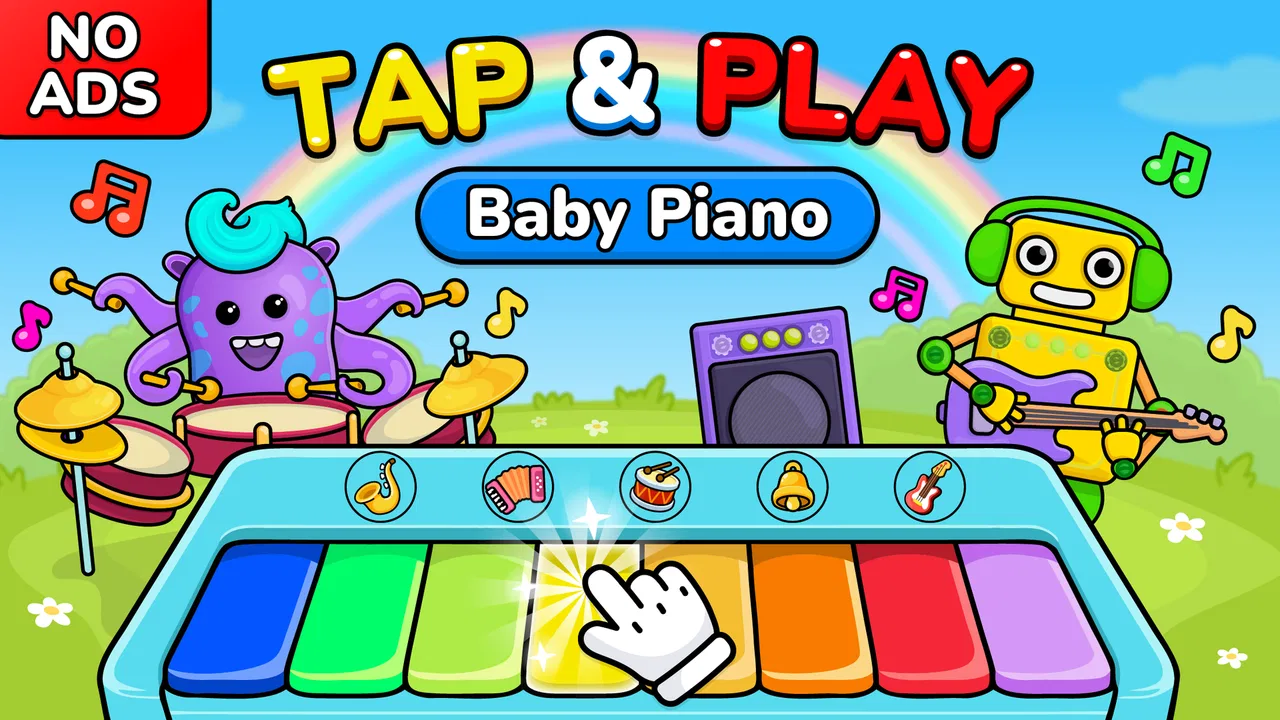
Baby Piano: Kids Music Games provides an engaging musical experience for children. The app includes colorful graphics, interactive piano keys, and various musical instruments to explore. It also features educational games, nursery rhymes, and sound effects that help develop a child’s musical ear and coordination in a fun, playful environment.
02Is Baby Piano: Kids Music Games suitable for all age groups?
The app is primarily designed for toddlers and young children, typically ranging from 1 to 5 years old. Its simple interface and vibrant visuals cater to their developmental stage, helping them learn basic musical notes and rhythms while having fun. Older children might find it too simplistic.
03Does Baby Piano: Kids Music Games require an internet connection?
Baby Piano: Kids Music Games can be used offline, making it convenient for parents who want to keep their children entertained without the need for constant internet access. However, some features, such as updates or additional content, might require an internet connection.
04Are there any in-app purchases or ads in Baby Piano: Kids Music Games?
The app does offer in-app purchases, which allow users to unlock additional features and content. Parents should be mindful of this if they want to avoid extra charges. Additionally, the free version may contain ads, but a premium version can usually be purchased to remove them.
05How does Baby Piano: Kids Music Games support child development?
Baby Piano: Kids Music Games aids in developing a child's cognitive and motor skills by introducing them to the world of music. The app encourages creativity and helps improve hand-eye coordination. Through interactive play, children can learn about different sounds and rhythms, fostering an early appreciation for music.
Pros
- Engaging and colorful interface for kids.
- Simple controls perfect for young users.
- Includes a variety of musical instruments.
- Develops early music and coordination skills.
- Offline play available for uninterrupted fun.
Cons
- Limited content in the free version.
- May include ads that interrupt play.
- In-app purchases can be costly.
- Some sounds may be repetitive.
- Requires updates for new content.

Baby Piano: Kids Music Games
Gallery